Manage your suppliers
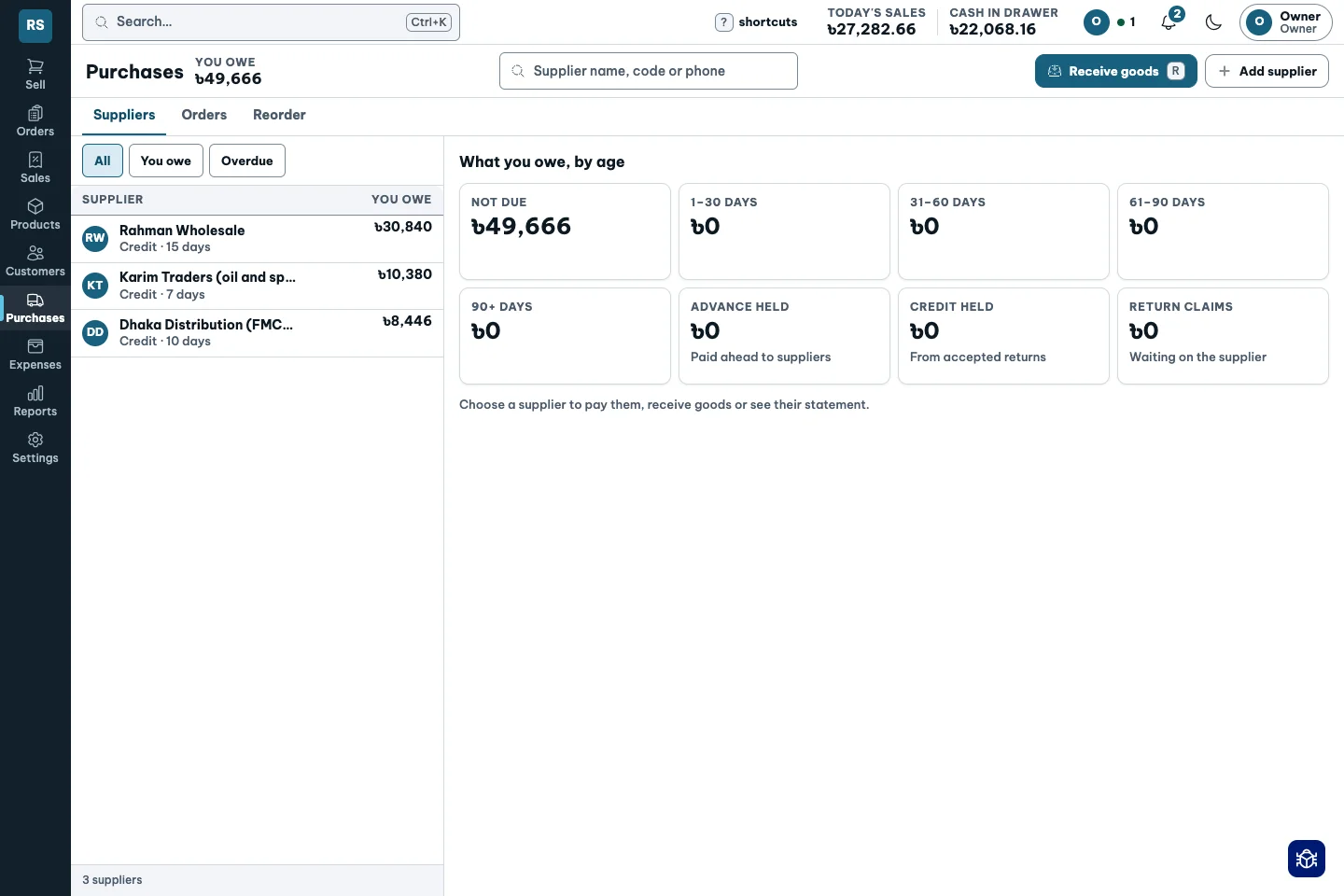
Keep supplier purchases, partial deliveries, discounts and statements connected to the cost of what reaches your shelf.
Explore supplier management ↗Groceries, general stores and more.
Run your shop yourself, alone or with staff. Bring suppliers, brands, purchases, stock, sales, customer dues and cash into one connected set of records.
Sell at the counter. Know the profit by evening.
Tablet, laptop & mobile ↗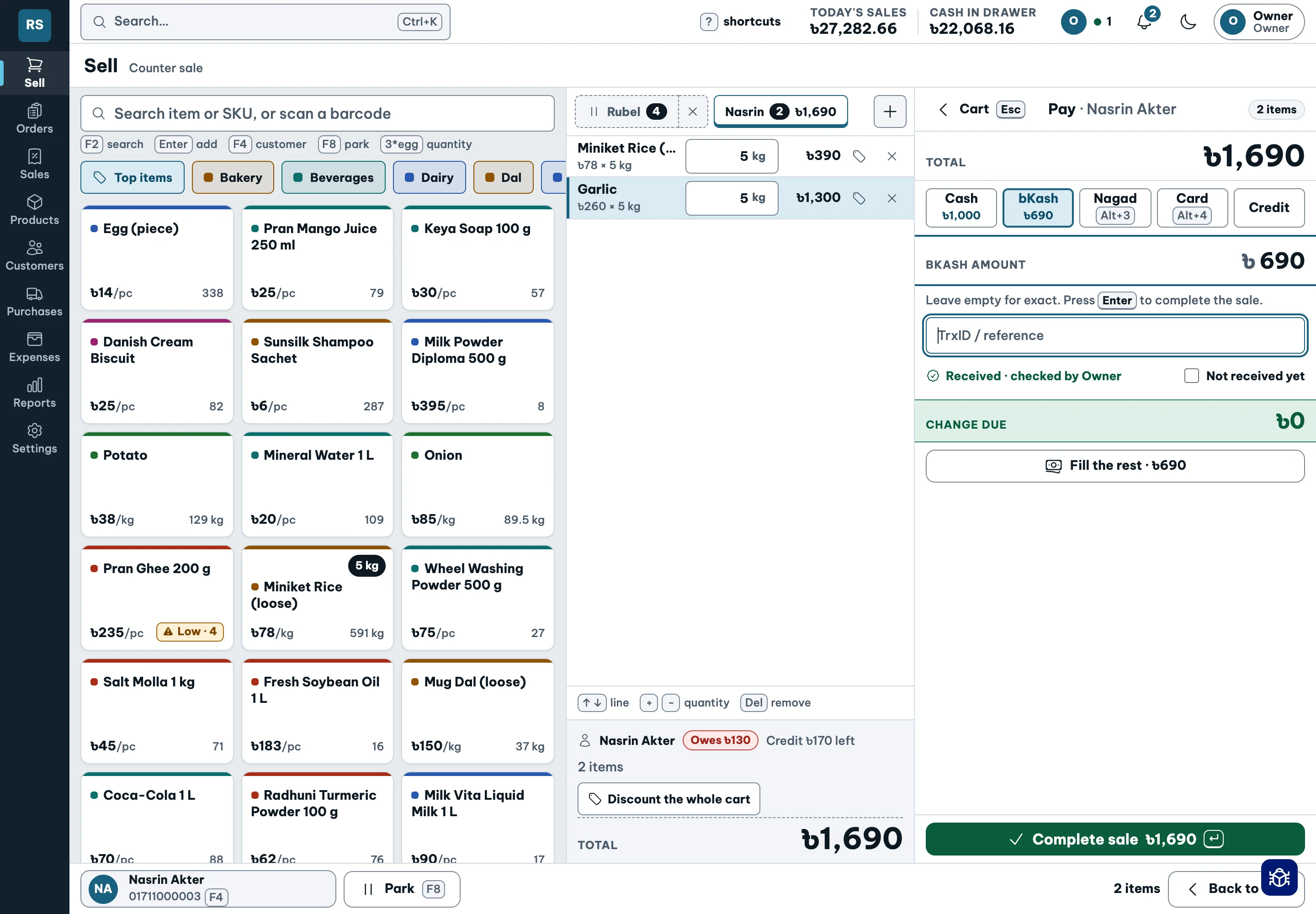
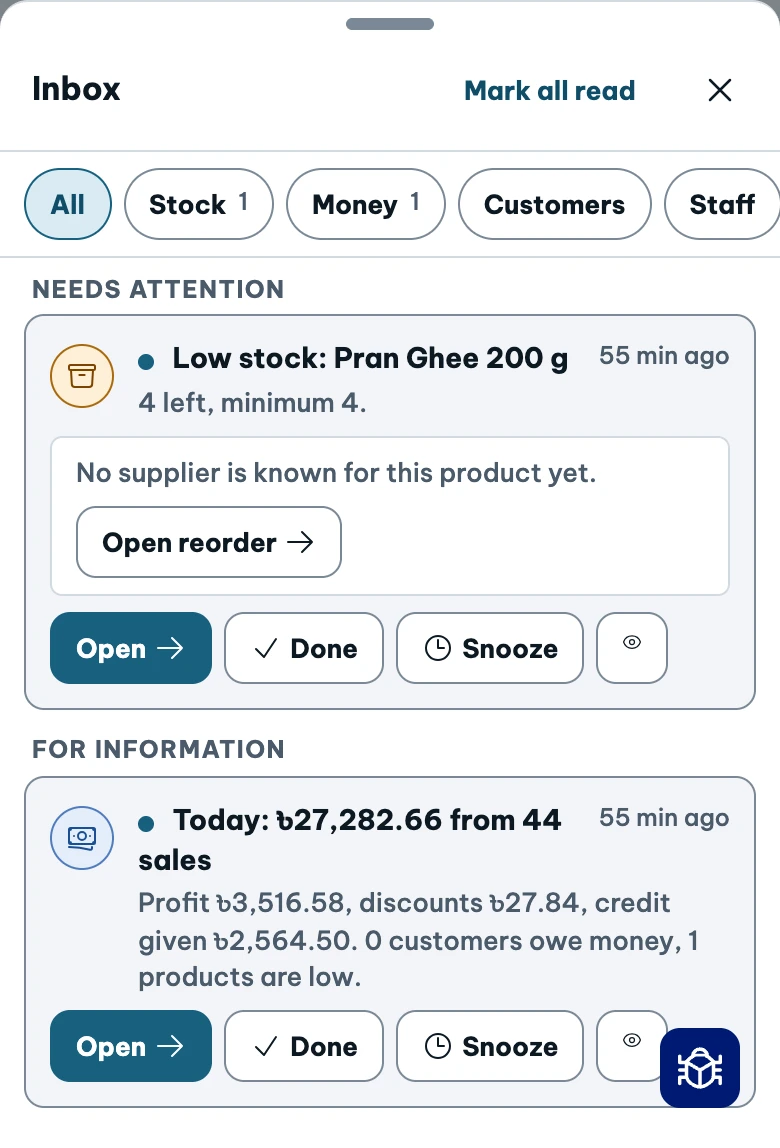
Over-limit discount → owner approval.
See the approval path ↗“I sold a lot today. Did I earn anything?”
Sales are easy to see. Cost changes with every delivery.
“I sold a lot. Did I earn anything?”
Know the cost behind each sale.“The drawer is short again.”
Count against the books, with a reason for differences.“Who still owes me?”
See dues, dates and collections together.“Oil costs more. My price hasn’t changed.”
Review prices that fall below your target margin.“I never approved that discount.”
Set limits and approve exceptions.“Their usual brand ran out.”
Track brands and offer a clear alternative.“I buy a sack and sell a kilo.”
Keep pack prices and loose weight together.“The queue is getting longer.”
Search, scan, quantity, pay.Shopkeeper answers all eight. See how ↗
Grocery, general store, stationery, cosmetics or hardware: if you buy products, hold stock, sell and collect payments, Shopkeeper brings that work together.
Buy → stock → sell → collect → return & reconcile
Keep supplier purchases, partial deliveries, discounts and statements connected to the cost of what reaches your shelf.
Explore supplier management ↗Arrange products as Item, Brand and Pack. Find a customer’s usual brand and offer an in-stock alternative when it is unavailable.
Explore brand management ↗Built for your device
A touch-friendly counter, keyboard shortcuts and a compact phone layout. See how Shopkeeper adapts to the way you work.
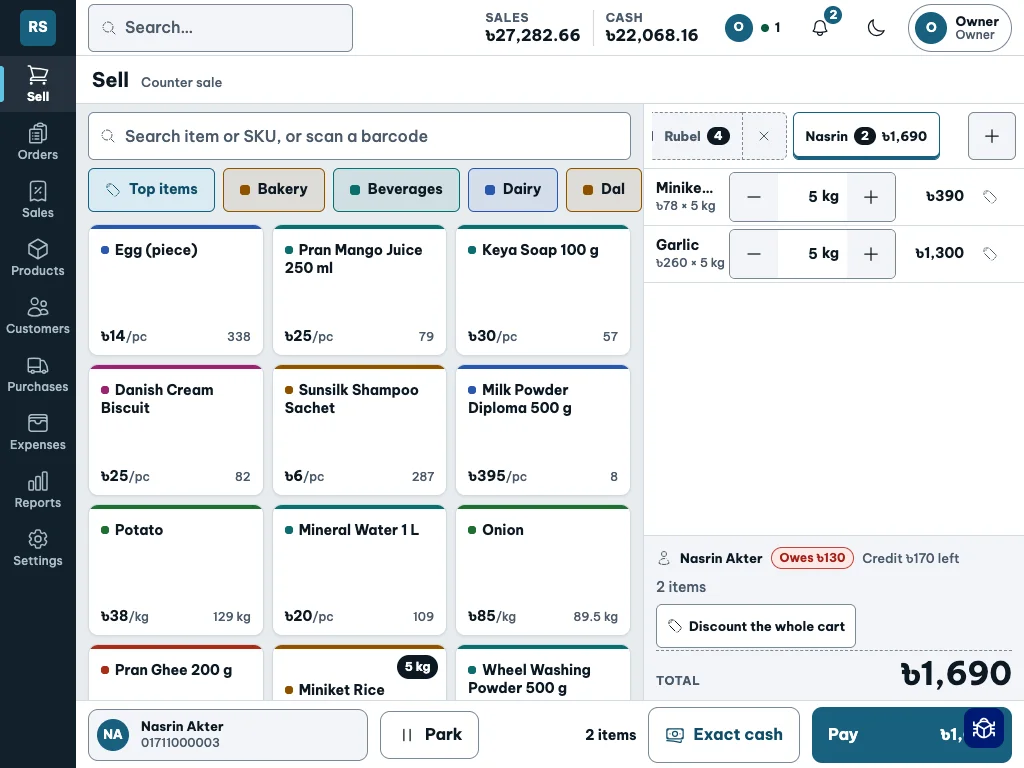
Use a tablet at the counter: large product tiles, quantity controls and an on-screen number pad for weighing and money-based selling.
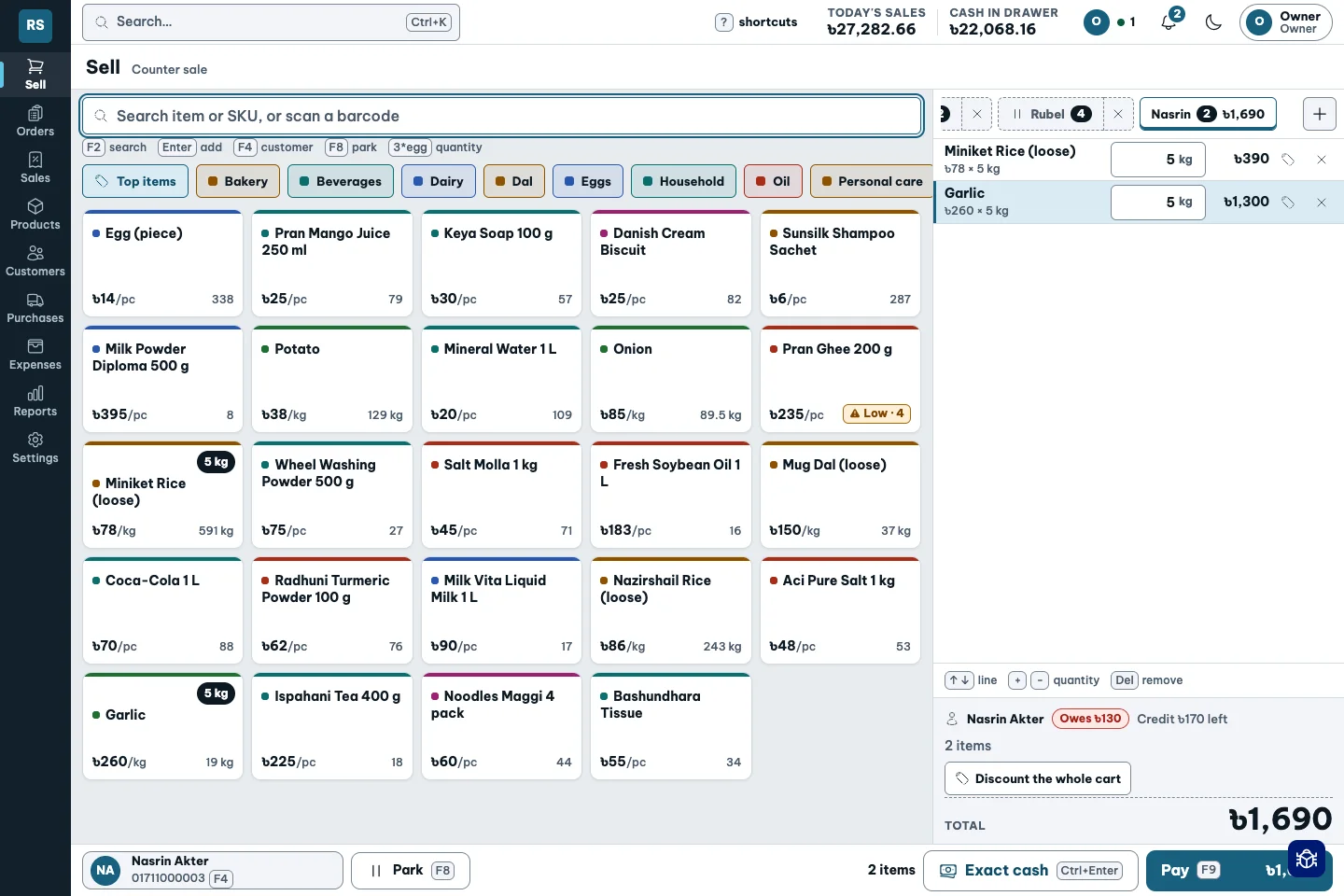
Search, scan a barcode or type 3*egg. The keyboard layout keeps shortcuts close and the cart in view.
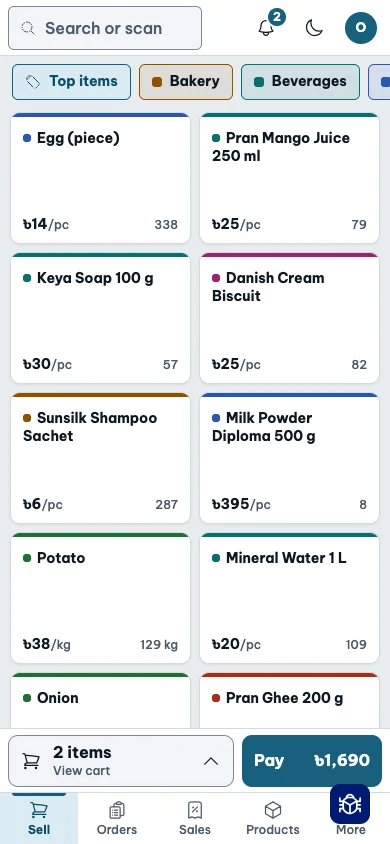
Use the compact selling layout on your phone, or check the shop and review approvals while away from the counter. Number entry uses your phone’s own keyboard.
Look inside the fictional Rahim Store demo. These are the product’s screens, not promises about your results.
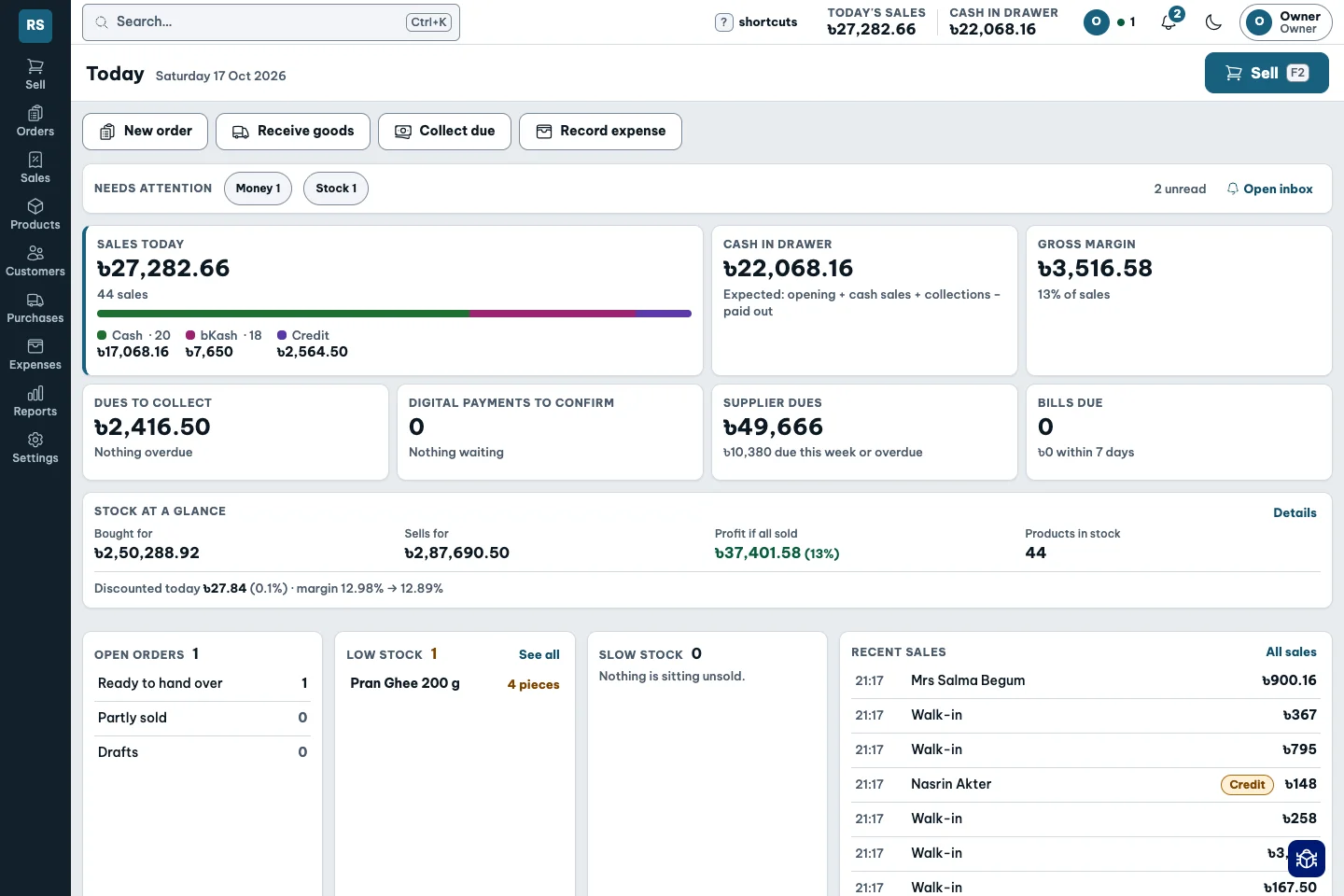
A busy counter can hide a thin margin. Shopkeeper records what the goods cost alongside what the customer paid.
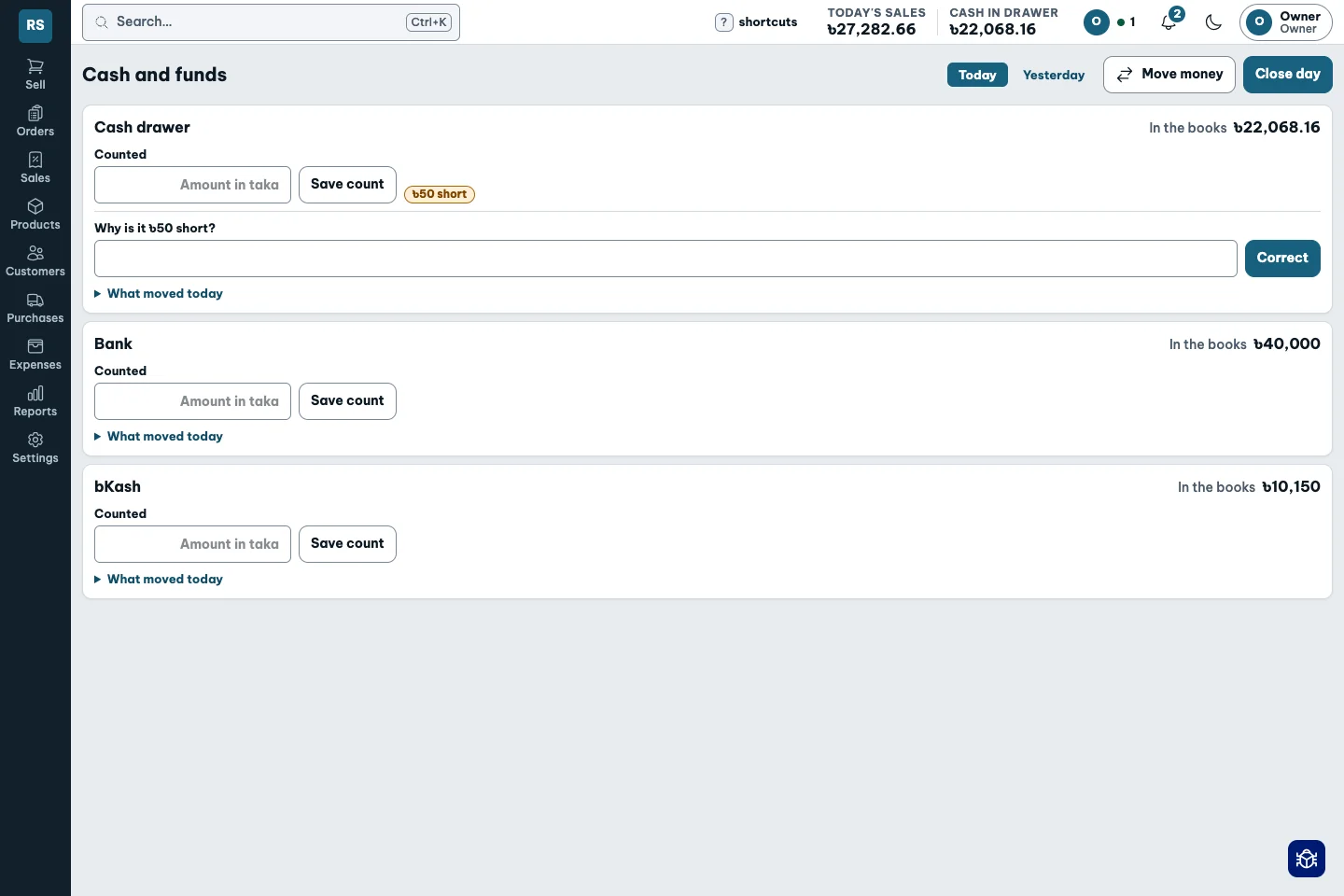
Count what is really there. Compare it with the books. A shortage stays visible until it is corrected with a reason.
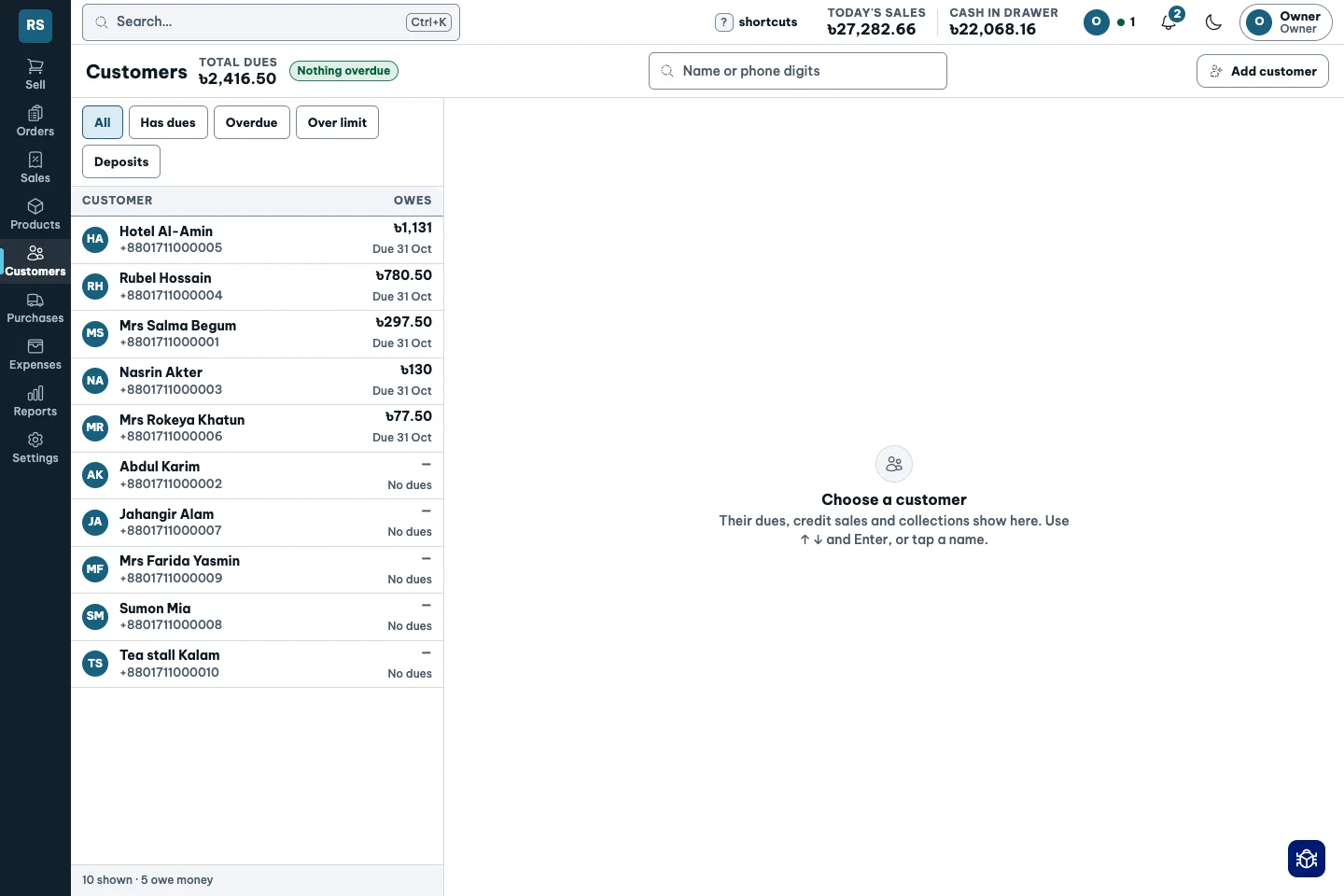
A total in a notebook cannot tell you whom to ask. See each customer’s balance, due dates and collection history together.
Put the cost beside the value
What to restock, which price to review, who to remind: Shopkeeper brings the information together for these everyday decisions.
Deliveries update average cost. Review products below your target margin and their suggested prices, then decide which prices to change.
See how it works ↗Use actual sales rate and stock on hand to plan purchases. Review suggested quantities before placing supplier orders.
See how it works ↗Find a customer’s usual brand, repeat their last order and see an in-stock alternative with its price difference when their brand is unavailable.
See how it works ↗See who owes what and when it is due. Open a WhatsApp reminder. Set staff discount limits so larger discounts need approval.
See how it works ↗Review slow sellers, days without a sale and stock value before buying more. Slow-stock insight is in Pilot.
See how it works ↗Worked example · not a customer result
Suppose overdue money is holding up a restock and customers want the product. Shopkeeper connects the information and records; you still follow up, receive payment, buy and sell.
You follow up from the dues list. A customer pays ৳5,000 of an existing debt, and you record the collection after receiving it. This recovers cash already owed; it is not new profit.
See credit and collections ↗You review sales rate and stock, then confirm what is needed. From that cash, you buy 50 units at ৳80 each: ৳4,000 of stock, with ৳1,000 still in hand.
See reorder planning ↗Assume all 50 units sell for ৳100 each and are paid in cash. Sales of ৳5,000 minus stock cost of ৳4,000 produce ৳1,000 gross profit. The earlier ৳5,000 collection is not counted again as profit.
See profit tracking ↗৳1,000 − ৳499 = ৳501
This subtracts one monthly base fee from the gross profit on the new stock. Staff, transport, tax, discounts, returns, spoilage and other costs are not deducted. It is not net profit.
৳5,000 collected − ৳4,000 spent on stock + ৳5,000 cash sales = ৳6,000 in hand before subscription and other costs. The old receivable became cash; the new sale generated ৳1,000 gross profit.
If these sales would have happened anyway, their full profit cannot be attributed to the app. Compare with your previous process to measure the actual improvement.
These capabilities were checked against product code and demo screens. The example amounts are not measured results from a shop.
Watch the actual app workflows ↗A discounted product-package builder and printable posters are planned. Today, review slow-stock information and decide what to do; the app does not yet create automatic offers or guarantee increased sales.
Follow the shop from its first cash count to the last sale. The accounting happens while you work.
Count what is really in the drawer. The books know the opening cash; a blind count asks you to enter your number first.
Search, weigh, discount and split a payment. The sale records its real cost, stock, money and dues together.
Ten cartons plus one free. Freight and the supplier’s discount belong in the real unit cost. Review prices that fall below target.
Count the drawer, resolve the difference and close the day. See sales, product profit, dues and cash together.
Follow the shopkeeper, the product and the customer through the whole shop.
Explore the three journeys ↗A full shelf is not always a healthy shelf. See fast sellers, slow sellers and stock that has been sitting too long, then decide what to buy and what needs attention.
See products that may run out soon at their current sales rate, even before they reach the minimum stock level.
Plan the next purchase before the shelf is empty. ↗Compare the sales rate with the stock still on hand. See when you are holding more than the shop is likely to sell soon.
Review the quantity before buying more. ↗Find goods that have gone unsold for a long time and see the money tied up at their recorded cost, when your role permits it.
Decide what needs attention before adding more stock. ↗A mistake is fixed by a new, visible entry. Every action has a name and a time.
Exact integer money
Every action audited
Retry never double-posts a sale
Opening dues, package offers and discount insight are not available yet. See what is planned and what is still being explored.
Short recordings of the real demo app, with captions and written steps. Playback starts only when you choose.
Watch the touch number pad calculate 500 g, then ৳50 worth of rice. The clip stops before adding anything to the cart.
Fictional demo records. These clips show separate workflows, not a completed sale or a customer testimonial.
Watch product walkthroughs ↗See the work, read an example, then bring your own questions.
A few things worth knowing before you switch.
A billing app records the sale. Shopkeeper also records its cost, stock, dues and money movement, so you can see what the sale actually earned.
The counter path is search or scan, quantity, pay. Keyboard shortcuts are optional and shown on screen. The accounting happens underneath.
Cost and profit are hidden from staff by permission. Staff see only their own sales. Owners choose the additional access managers receive.
You can split a sale across cash, bKash, Nagad, card, bank and credit. Each fund has its own account; transfers and fees have their own records.
Yes. Define a named pack with its own price. At the pack quantity the cart uses that rate, and stock can be displayed as sacks plus loose weight.
Selling needs a connection. Retrying a request does not post the same sale twice.
Tell us how you sell today. We’ll walk through the counter, dues and books with your questions in mind.
Talk on WhatsApp ↗